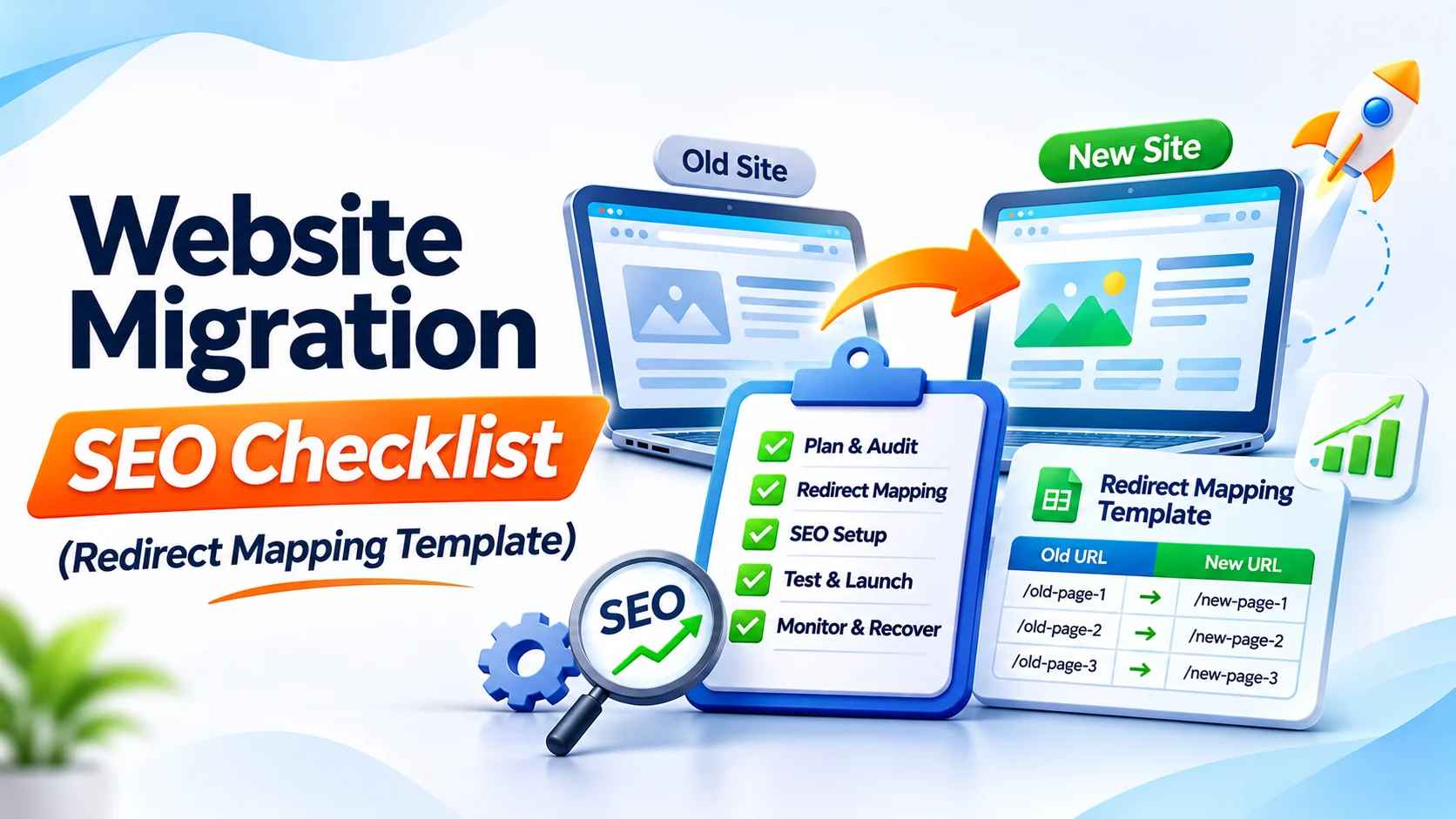
Website Migration SEO Checklist (Redirect Mapping Template)
A website migration SEO checklist is what separates a smooth launch from a traffic crash. In Search Engine Journal’s study of 892 domain migrations, it took an average of 523 days for the new domain to match the old domain’s organic traffic and 17% had still not recovered after 1,000 days. The usual culprits are missing redirects, leftover noindex tags and SEO being brought in too late. Below is the full checklist in five phases plus a redirect mapping template you can copy into a sheet from the SEO team at WebHopers.
Quick answer: the website migration SEO checklist is the plan for the entire process of moving the site to another domain or platform. It comprises the basic elements that will help successfully migrate the site to the new domain without losing ranking performance, namely, current site traffic analysis, redirect mapping between the old and new URLs and so on.
What Is a Website Migration, and Why Does It Hurt SEO?
A website migration is any significant change that alters URLs, the structure or the platform or framework of your website that Google has learned about, or any change in its technology stack. Google re-crawls the site and re-evaluates it for indexing, and only then will it consider this migration to have been completed once it has crawled each URL in the old and new versions of the site once. SEO rankings vary until this happens, as it is in process.
Migration type
What changes
301 redirects needed?
Search Console Change of Address tool?
Domain change or rebrand
The domain name
Yes, page to page
Yes (domain-level property)
HTTP to HTTPS
The protocol
Yes
No
Platform, CMS or redesign with new URLs
URL paths and templates
Yes, for every changed URL
No
Hosting or CDN change only
The server, not the URLs
No
No
Let us see how risky it can be to change domains or URLs based on these statistics (study):
523 days: an average time required for a new domain name to catch the previous one’s organic traffic (892 migrations were tracked in the study, and fastest migrations were done in 19-33 days. In another study conducted by Search Engine Journal, they considered only 171 migrations, but they found that 42 percent could not recover from migration as opposed to 17 percent for the overall set of data).
90%: the traffic one multinational media site’s Brazilian domain lost after a migration, based on a case study published by Search Engine Land. There were issues related to the indexing process and “soft” 404 errors, which had a detrimental effect for more than a year.
Just a couple of weeks: that’s usually how long you will have to solve the root problem to get significant results from migration, according to a migration guide by Shopify.
In most cases, these losses can be avoided. Search Engine Journal lists three key causes of such losses: improper 301 redirects, “noindex” tags and late involvement in SEO work. The points listed below correspond to each cause.
Phase 1: Plan and Benchmark Before You Touch Anything
The successful migrations always have a plan prepared in advance. Here are a couple of things you need to do first:
Make only one change at a time. Do not expect to simultaneously migrate domain name, CMS or interface.
Set a clear goal and plan a launch window. Try to avoid your biggest sales or promotional events, especially launch on Friday.
Everything must be used as a benchmark. Take out the past 12 months of data, including data from Google Search Console and GA4 and your SEO software on a variety of things like organic traffic, clicks, best pages, keyword rankings, conversions and backlinks.
Do a crawl on the site before changes. Make sure to get every URL along with the status, title, H1, canonical, hreflang, and schema of every page.
Save an archive copy of what the site was so any change you make to the site will be measurable to see if a drop in traffic has happened.
Have a “do not break” list. Label the most visited and high converting pages.
Verify everything to make sure all access to analytics and SEO software on the new site is functional, because it’s likely the verification token will change.
Phase 2: Build Your Redirect Map (Template Included)
A redirect map refers to a spreadsheet that links all the old URLs with their new corresponding URL, making it the most crucial document you will create in your migration. As per Google’s instructions, the idea is to redirect individual pages of your old domain to equivalent pages in your new domain, not only to point the old URL domain to the new URL. There is no need for a redirect if you are not keeping the pages.
Follow the steps below to build it.
Collect URLs from every source including your crawl, XML sitemap, Search Console, your analytics report and a backlink tool. A backlink and analytics report will help you identify any URLs you might be missing from your crawl.
You can clean the data and eliminate duplicates so the URLs can have trailing slashes, uppercase letters, parameters, www or http versions.
Then you can rank them by the value of the pages, so that you can map the URLs that have maximum referral domains and maximum clicks first.
Map one-to-one. Redirect all URLs one-to-one to the closest match. If nothing matches, go directly to the most relevant parent category rather than the homepage, which often looks like a soft 404.
Apply pattern rules for systematic changes; for example, map /blog/:slug to /articles/:slug, then check the results manually.
Direct to the final URL. No redirect chains or loops. A 301 (or 308) redirect is needed for a permanent move.
Redirect mapping template
Add the following fields to a Google Sheets/Excel file. Note the example uses example.com.
Old URL
New URL
Page type
Clicks (12 mo)
Backlinks
Action
Tested?
/services/seo.html
/seo-services
Service
1,240
38
Keep, 301 redirect
No
/blog/old-post
/blog/new-post-title
Blog
310
12
Merge, 301 redirect
No
/products/discontinued-item
/products/category
Product
45
2
301 to closest category
No
/old-landing-page
None
Landing
0
0
Remove (404 or 410)
No
Use a “Notes” column to record exceptions, and add a “Date tested” column that both your developer and your SEO team can sign off on.
Is Your Business Invisible When Customers Search Online?
Get Found on Google, ChatGPT & AI Search Platforms and Turn Searches into Customers!
Rank higher for the keywords your customers actually search.
Show up in Google AI Overviews, ChatGPT, Gemini & Perplexity answers.
Drive qualified traffic, more enquiries & measurable growth with transparent monthly reporting.
Phase 3: Test Everything on Staging
Check off this list on the staging site before publishing a redirect:
Redirects: test the whole redirect map in bulk. Each old URL must result in a 301 and lead to a 200 response URL.
Title tags and meta descriptions: carry over all existing title and meta descriptions for pages that are important for SEO purposes. Shopify calls metadata the ultimate classic migration afterthought that can damage rankings and SEO.
Canonical tags: ensure the canonical tags point to the updated URL not the old URL.
Internal linking structure: make sure to update internal links to final URLs rather than using redirects for internal linking.
XML sitemap: include in the XML sitemap all updated URLs that should be indexed and have a 200 status code.
Robots.txt and the use of noindex: define what the robots.txt file and noindex tag should look like at launch, and identify all pages that need to have noindex tags removed.
Structured data, hreflang tags and tracking tags: make sure the structured data, hreflang and tracking tags all work correctly.
Speed and mobile: check speed for key templates due to changes in server and platform which will most definitely slow things down.
Phase 4: Launch Day Checklist
Toggle 301 redirects on and publish your redesigned website.
Remove staging limitations. Take off any noindex tags and disallow rules from robots.txt. This is one of the reasons for the sudden decline in traffic after the site’s launch.
File your new XML sitemap via Google Search Console.
Did you move domains? Once the redirect is set, use Google’s Change of Address Tool. However, if you migrated from HTTP to HTTPS, or made a minor path or www-type change, you don’t need it.
Conduct URL Inspection on selected, stable pages to make sure you have a working canonical link to Google.
Make sure your external links are updated – Google Business profiles, social links, ads, signatures and the most valuable backlinks.
Here is a tip provided by Dan Taylor from Search Engine Journal: When you launch your new domain or new URL architecture, consider launching it 24 to 48 hours before activating redirects. That will allow Google to begin indexing your new URLs even while it processes the redirects. It should be treated as just a practitioner’s experience, not a Google guideline & discussed with your developers before applying it.
Phase 5: Monitor for 90 Days, Then Keep Watching
The migration isn’t over at launch. Use this schedule:
When
What to check
Where
Day 1
Redirects resolve, no accidental noindex, analytics firing, homepage and top pages indexed
Crawler, URL Inspection, GA4
Week 1
New 404 and soft 404 errors, sitemap processed, crawl activity, indexing of key sections
Search Console
Weeks 2 to 4
Clicks and rankings against your benchmark. Fix title and content regressions fast
Search Console, rank tracker
Months 2 to 3
Organic traffic vs baseline, backlinks pointing to old URLs, pages that lost rankings
SEO tool, Search Console
Month 12
Retire redirects only if they get little or no traffic
Server logs, analytics
How long should redirects be left? According to the Google “Change of Address” page, they should be left for a minimum of 180 days. But the site move guide advises maintaining redirects for a minimum of a year. Go with a year. In that amount of time, Google will be exposed to each redirect enough to identify the move is permanent.
8 Migration Mistakes That Cost Rankings
Making all content points to the homepage instead of the closest similar URL.
No redirects (especially 301) set up or broken. If there are no redirects, no previous SEO will go to the new content.
Staging environment content blocks set up with noindex tags or robots.txt that never got turned off.
Making too many changes in one step – domain, CMS, template and content in one deployment.
Forgetting to set title tags or metadata for pages that have already been ranked in the past.
Redirect chains and loops that use a lot of crawl space and reduce overall traffic.
Leaving out popular pages on the plan of migration, such as the case with Siege Media.
What If Traffic Drops After Your Migration?
Check the basics first: noindex tags, robots.txt, broken redirects or changed title tags. Then compare your top landing pages to your benchmark saved during Phase 1. As explained in detail in our guide for diagnosing and recovering traffic drop, the audit process is covered completely and we won’t go through it now.
Speed Matters. Shopify notes that if an issue is addressed within two weeks chances of recovery are better than if you wait beyond that period.
How WebHopers Can Help With Your Migration
At WebHopers, we provide SEO services from Mohali since 2016. We have completed more than 3,500 projects. We have done recovery of lost organic visibility due to migrations. In our AV Veterinary case study, we were able to recover 80% of the lost organic visibility in two months after a migration error caused the problem.
AV Veterinary
Project Overview How WebHopers Infotech recovered 80% of lost organic visibility in just 2 months after a domain migration disaster About the Client AV Veterinary Center is a USA based veterinary clinic providing services around Lancaster, CA. Project Overview The primary goal for the website is to recover the website visbility lost during the SEO migration happened with client on mid april 2025. Client Requirements Recover all the visibility lost due to improper website migration to new domain. Regain the organic leads from local pet owners for multiple treatement they are offering. Challenges - Website removed from Google indexes for around 8 months. - No Visibility for the brand in organic searches, AI overviews & AI Mode. - Technical Issues: Improper redirection issues, canonical issues, broken links, low health score, schema markups issues. etc. - Poor ON Page SEO done on the migrated domain. Leaving the SEO standard in a mess. - Meta Title and Meta Descriptions are not optimized properly. Strategy & Plan of Action • Detailed SEO Audit is being implemented by using paid tools like SEMrush, Screaming Frog • Content Gap Analysis and Backlink toxicity score analysis being done. • Detailed things was being shared with client for approval. • One the Team has got the approval. The first thing that team implemented is dynamic 301 redirection on relevant pages targeting the keywords earlier. • Website was loaded with thin content. So proper content was being published on the relevant Landing pages with local SEO enhancement to boost its local ranks. • Google Business Profile linking with latest reviews and local SEO schema markup being implemented by the team to ensure positive results. • Parallely team has started created backlinks on local diretories, business listing website to boost it credebility with proper NAP citations. Results 1. Website started seeing recoveries with in 2 month of SEO Implementation. 2. Semrush Traffic Improved from 0 clicks to 1500+ clicks in 2 months 3. Semrush Traffic Improved from 0 clicks to 1500+ clicks in 2 months 4. 9660 Impressions improved to 58000 and average position improved from 11.2 to 7.7. 5. 36 Keywords are ranking in 1 to 10 Positions Some Keyword Rankings Keyword Position Search Volume vets in lancaster ca 5 590 lancaster ca veterinary clinic 3 480 vet lancaster ca 3 320
Planning a move? Our technical SEO team builds the redirect map, tests it on staging and monitors the first 90 days while our web development team handles the build. Book a free consultation and we will review your plan before launch.
Website Migration SEO Checklist FAQs
What is a website migration SEO checklist?
It’s a step-by-step process of migrating a site to another domain, platform, or URL structure with the goal of maintaining SEO rankings. The checklist includes benchmarking, redirect mapping, testing, launch tasks and post-launch monitoring.
How long does it take to recover from an SEO point-of-view of website migration?
It depends on a lot of factors. According to a study by Search Engine Journal of 892 migrations found that on average it took about 523 days, while in some cases it was possible to match the original domain’s traffic levels at 19 to 33 days. Interestingly, 17% of all these domains never managed to match their original levels after 1,000 days. Good planning should minimize these fluctuations.
Do I need 301 redirects for all pages on a website?
Redirect each page on your site that you want to keep to the corresponding page on the new domain or URL structure of the website. Redirect pages you no longer have on your site to new domains and pages you don’t want to be removed.
How long should I keep 301 redirects after a migration?
Google recommends at least one year, if your old URLs still have traffic or inbound links. Also, note that its page about “Change of Address” suggests 180 days, so a year could be the minimum value.
Do I need the Change of Address tool?
It is useful for domain moves, subdomain moves and domain-level properties only. Google does not recommend it for HTTP-to-HTTPS, www-to-non-www, path-only changes and just hosting changes.
Should I migrate and redesign at the same time?
You should only do that if your business really needs that. Google advises that one change at a time is better – either change your website domain first and then your website layout afterwards. If the business really needs both, plan more time for testing and monitoring.
The Bottom Line
A migration will not necessarily cost you traffic. First, do your benchmarks. Then map your every URL. Then test your website on your staging environment. Once your site migration and new website are live, remove all the blocks from the redirect page, and monitor for 90 days. You may use this Website Migration SEO Checklist as your sign-off sheet. Please remember to keep your redirects on your website for at least a year. Would you like an expert opinion? Just talk to the SEO team at WebHopers.
I had a great experience with Webhopers Academy.
The course was well-structured and beginner-friendly.
Mentors were supportive and explained every topic clearly.
I also got practical exposure through assignments and projects.
Highly recommended for anyone looking to upskill professionally!
I learned a lot of things in Web Hopper Academy about online advertising in my digital marketing class. We discussed advertisements, social media, and how to contact people over the internet as well.
We created our facebook campaigns and tested them. It was similar to becoming a digital marketer. We also worked together a lot, sharing ideas and figuring things out.
They showed us tools that actual marketers use, like how to see if people like our ads. Now, I feel like I know the tricks to make things stand out online Ms. Akshita mam was awesome.
She explained things with examples and helped us when we got stuck. It wasn't just about listening; we got to ask questions and share our ideas too.
Digital marketing is like a big online adventure, and I want to express my gratitude to Ms. Akshita mam for being my teacher. Thank you!
Delivering innovative design, high-performance websites, SEO expertise, and AI-powered solutions