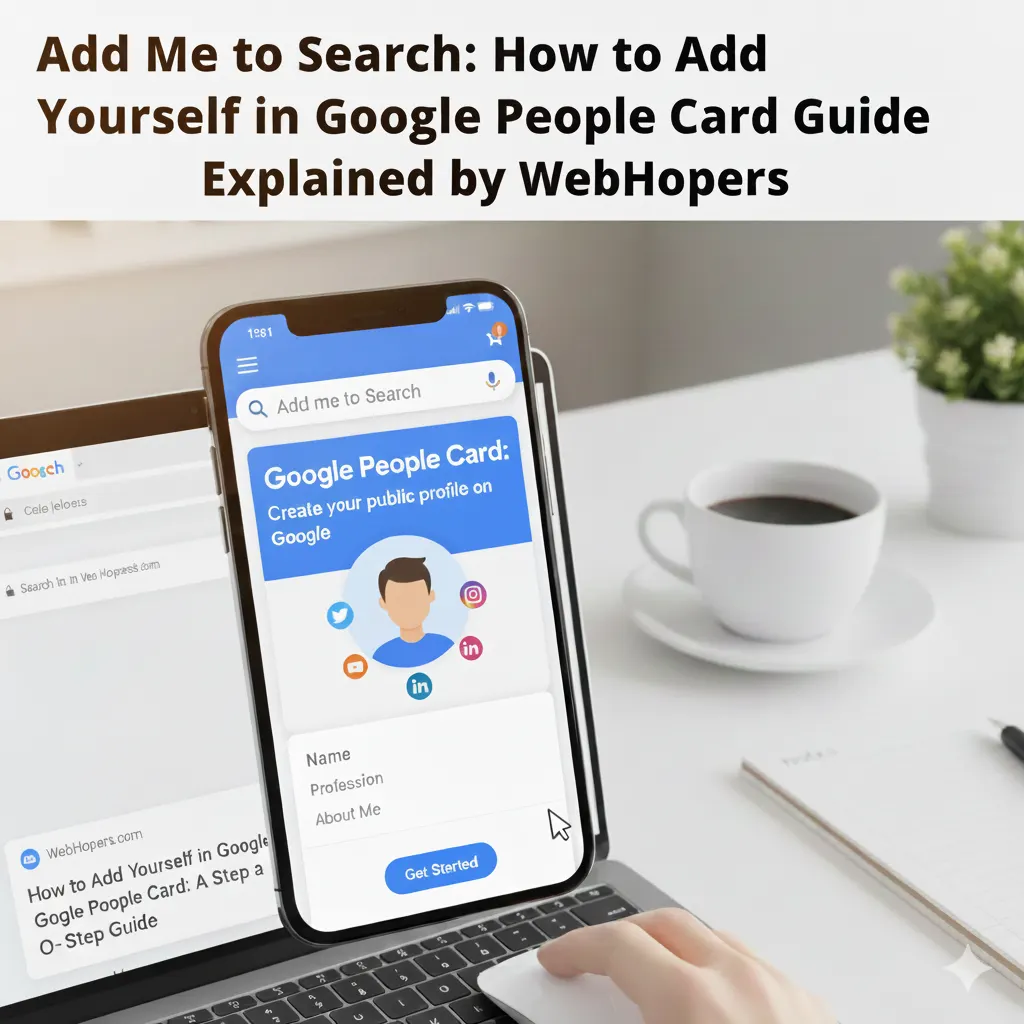
Hey all, you will definitely search for your name on Google at some point in your life, right? But shows nothing. And imagine what if your potential user searches for your name and gets nothing – you can lose potential opportunities. Being visible on search results is more important than ever. For Freelancers, individuals, content creators, job seekers and influencers, being visible on Google search can give you lots of opportunities, and this is what Google People Card offers- a strong online presence.
The “Add me to Search” function helps you to advertise yourself in search results. It is like a mini personal profile, where you can show your work, experience, contact info and social links. Imagine someone searches your name, and they instantly get your professional details, portfolio links, and other informative links. This is how people cards show their magic in search results.
Adding yourself to a Google People card comes with some eligibility like you must have a Google account, being at least 18 years old, your profile must include authentic information, and the feature must be available in your region. If you are also interested in adding me to Search, then keep reading this blog because in this blog, we are going to explain everything about the Google People Cards guide.
The “Add me to Search” is specially featured by Google to showcase your personal and professional life to their interested users. It is also considered a digital visiting card. Adding yourself to Google People Card is easy and simple, but it can make a huge impact.
In simple words, it is like saying, “Hey Google, it’s me, and let the world know.” And the best part for this is that you have total control- Change anytime and keep your personal and professional life updated.
Let’s understand it with an example: In old times, people generally held a visiting card and gave it to everyone, but now times have changed, people say just search me on Google and get all the information. This is what you can do with add me to the search in Google.
The Add Me to Search is becoming popular day by day because Google has become one of the choices and processes 9.1 billion search queries every day, as per Sqmagazine. If any individual has any question, its first place is always Google. An average person uses Google 3-4 times per day, and digital professionals search 20+ queries in a day. Here are some more common stats that will show the demand for online presence:
Overall, we can say that Google searches are the major way for users to find anything, and by showing yourself on Google can easily increase your reputation and image in front of your potential users.
Adding yourself to the search is more beneficial than ever. Let’s see:
Planning to shine in Google, it’s time to know some things before hitting the “Add me to Search.” Let’s see:
One Profile Per Google Account
First of all, you can only create one profile per Google Account. Under the same email, you cannot create multiple people cards; that’s why add information accordingly. Always makes sure that all the information is accurate and updated.
Need a Google Account
To create a people card, it is important to have a Google Account. This is the way to tell Google about you and verify your identity clearly. In case you don’t have a Google account, then firstly you will need to create one.
Add Relevant Links Only
While creating a Google People Card profile, it is important to add only relevant and accurate links. If you add spam links to your profile, then your profile will be invisible on Google searches.
Put the Right Name
The name you write on your Google People Card should be accurate and well-spelled. If you are famous or known by your nickname, then you can also write your nickname; it also shows accurate results in search results.
Adding yourself to the Google People Card is one of the best steps that every individual should take. WebHopers offers you a detailed and step-by-step guide for this. Let’s see:
Step 1: Sign in to Google
First of all, sign in to your Google account. Use the email address on which you need to make your Google People Card.
Step 2: Search “Add me to Search”
Now, you get a search bar. Type Add me to search and you will get an option that says “Add Yourself to the Search”. Click on it and start proceeding to create a Google People Card.
Step 3: Tap Get Started
Now, you will get an option to start creating the Google People card, enter it and start creation.
Step 4: Enter Your Name, Location, Bio & Other Relevant Information
After getting started, you will need to fill in required details such as name, location, bio and other professional and personal information. Always make sure one thing that the information is clear and accurate.
Step 5: Add Your Website & Social Links
Google People Card also allows you to add your website and social links, such as Website, YouTube Channel, Instagram, Facebook, Twitter, LinkedIn and many more social links.
Step 6: Upload a Clear Picture of Yourself
Posting a clear picture is important to add relevance and trust to your Google People Card. That’s why I always upload formal and clear pictures.
Step 7: Review & Preview
After uploading all the necessary elements, you get the feature to review everything, like how your Google People Card is going to show to users.
Step 8: Publish
Once you review your final Google People Card, click on publish. Within a few seconds or minutes, your People card will start showing in search results.
To make updates or edits in Google People Card, follow these essential steps:
If you are comfortable with changes, then click Save Changes.
To remove your Google People Card Profile, follow these exclusive steps:
Who Must Create a Google People Card?
First of all, people think that Google People Card is only for influencers and Celebrities, but it is totally wrong. Anyone who wants to discover themselves on Google can easily create a Google People Card. Here’s who must create GPC:
No, Google My Business and Google People Card are totally different. The functions offered by both are different and targeted at different users. Let’s see:
| Feature | Google My Business | Google People Card |
| Purpose | Promote Business Online | Showcase Personal Profile. |
| Information Displayed | Business name, address, Contact, Website, Review, hours and Photos. | Name, Photo, Bio. Social links, website, and optional contact info. |
| Search Visibility | It appears when someone searches for businesses and services. | It appears when someone searches your personal name. |
| Target Audience | Business, Shops and Service Providers | Individuals, Freelancers, Creators, Professionals and job seekers. |
| Control | Control business info, review and photos | You can control your personal info, link and Photo. |
| Goal | AttracCustomersser and Clients | Build personal branding & discoverability |
| Cost | Free | Free |
There is major confusion about Google Business Profile and Google People Card among people. So, we hope that this confusion will be totally clear after reading the detailed differentiation.
Creating a Google People Card is not difficult, but making them eye-catching is more important than ever. With little extra effort, you can make yourself discoverable and credible. Let’s see some major ways to make your Google People Card more effective:
Here are some major mistakes that you should avoid while adding yourself to the Google People Card:
As we all know, in today’s digital world, online searches are increasing unprecedentedly. Every user uses Google before buying anything, getting information from Google, and every search query starts with Google. That’s why keeping yourself visible on search results can make a big difference and offers you multiple opportunities, and this is what Google People Card offers. Every individual must create their own People Card and add themselves to the search.
Answer: No, People’s Cards are currently available only in India, Kenya, Nigeria, and South Africa. It is not available in Europe, the USA, and other regions.
Answer: Yes, both are the same, but the only difference is that People Search added me to search to create and profile, and Google People Card is the official name of it.
Answer: No, Google People Card is specially designed for individuals such as freelancers, job seekers, content creators, and more.
Answer: Google People Card is most beneficial for students in many ways:
Answer: Yes, while creating people cards, you can choose not to display numbers. You only need to write numbers for verifications.
Answer: Here is some mandatory information that you have to add while creating a Google People Card:
Answer: Not directly, but yes, with an increase in brand searches, it can affect your website ranking.
Answer: Yes, you can easily update your email and phone number in Google People Card with some easy steps:
Answer: Within a few minutes or seconds after publishing, your profile will start showing in search results.
Answer: To increase your people card discoverability, you can:
Answer: You cannot create Google cards on a desktop or a laptop. You will always need to create it on a mobile device.
Answer: Google People Card is highly beneficial for job seekers. They can:
Answer: You can make your people’s Google Card internationally visible by:
Answer: To attract a Google People Card with LinkedIn, there is no direct integration; you just need to copy the People Card link and paste it in your LinkedIn Bio.