
What are 301 And 302 Redirects and How to use them

Home » Digital Marketing & Website Information » What are 301 And 302 Redirects and How to use them
185 Views   |   4 mins   |   Last Updated: April 17, 2026
What are 301 And 302 Redirects and How to use them
What are 301 and 302 redirects and how to use them

What are 301 And 302 Redirects and How to use them – Wondering what 301 and 302 redirects are and how to use them? If yes, then you are at the right place. To a normal user they are same but they are not same as far as Google is concerned. Search engines know the exact difference between them and know how to handle respectively. Redirect play an important role in ranking. Therefore, it must be used appropriately.

What are 301 and 302 redirects and how to use them

If you are familiar with the search engine optimization then you must be aware of the term link juice. This is where redirects are important. If you want your customers or search engines to know that your site has been moved then it is mandatory for you to apply redirects.

What is 301 and 302 redirect?

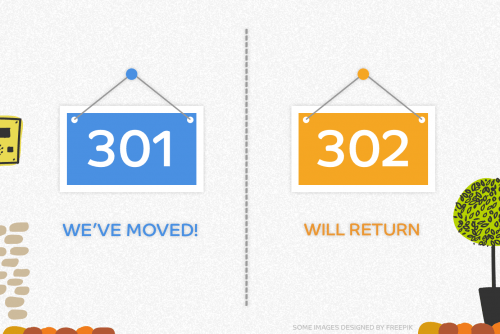
A redirect is a way of sending both users and search engines to different URL from the one they actually requested or wanted to go. 301 and 302 are the types of redirect. A 301 redirect is a permanent redirect which passes the bulk of link juice to the redirected page. It is beneficial for search engine optimization. This is the best method to implement redirects on the websites.

Whereas, a 302 redirect refers to the status code moved temporarily or found. In most of the instances redirect 301 and 302 are treated similarly. Redirect 302  do not pass any kind of value to the new locations. It sends to user to an appropriate place so that you do not show them a broken link such as error page or 404.

When should you use 301 and 302 redirects?

If you have changed your domain or your URL structure has gone through certain amendments then a 301 redirect could prove to be useful. Creating redirect 301 for your old website will tell both the users and search engines that you have moved to a new location. This will allow search engines to direct ranking and value signals to the new URL. Other reasons to use this redirect are mentioned below.

  • To maximize the domain authority.
  • To rename a website with different URL.
  • To direct traffic to the new location.

If your website is temporarily unavailable then this is the best time to use redirect 302. With redirect 302 you are telling the search engine crawlers that your content is unavailable at the moment. Eventually value of your page will be intact and will not be passed to another URL.

Steps to set up 301 and 302 redirects

It is very important to correctly set up these redirects to get the beneficiary results. If not used properly they can cause an immense decrease in the traffic and eventually your ranks will lower down. Below mentioned are the easy steps to follow to set up these redirects.

  • First step is to open notepad to create new documents.
  • Insert commands into notepad with your URL address of website.
  • Now save this file as and HTACCESS file.
  • Make sure to select all files in save as types.
  • Open the FTP for your website.
  • Then upload the saved file to the root of your server.
  • Test the web page if it is redirecting or not. This may take a few times for the completion.

Advantages of using 301 and 302 redirects

Using a 301 and 302 redirect to your website will let the visitors know about your new URL of the website. The best time to apply these redirects is when you have updated the CMS platform, change the web design, and deleted a page from the website. This can help in saving your website’s ranking, despite the changes you have made.

Conclusion

301 and 302 redirects are important for any kind of website to maintain their audience or traffic and eventually the ranks. I hope this have been helpful for you to clear the doubts related to 301 and 302 redirect. Therefore, if you are planning to make any changes in the website then do not forget to add redirects the aforementioned.


Discover the Strategy Behind Our High-Impact Success Stories

Reliance finacial
Whsuites
Pharmahopers
Shandaar Events
Glopetra
AKAI Tokyo
We’re Proud to Be Featured In
Our work and expertise have been recognized by leading industry platforms and publications, showcasing our commitment to excellence and innovation.

gautam kohli profile picture
gautam kohli
4 months ago
Best IT Company In Chandigarh
Soni Yadav profile picture
Soni Yadav
4 months ago
This is my best
Abhilash Koli profile picture
Abhilash Koli
4 months ago
Trusted SEO/SMO provider.
Manisha profile picture
Manisha
5 months ago
Best Pharma PCD & Third Party Leads Portal in India
Sandeep Thakur profile picture
Sandeep Thakur
8 months ago
Best SEO Company in Zirakpur . Really Best in Job Just Try Once And See The Diffrence ..
Manpreet kaur profile picture
Manpreet kaur
11 months ago
I had a great experience with Webhopers Academy.
The course was well-structured and beginner-friendly.
Mentors were supportive and explained every topic clearly.
I also got practical exposure through assignments and projects.
Highly recommended for anyone looking to upskill professionally!
Mahima Jamwal profile picture
Mahima Jamwal
3 years ago
I learned a lot of things in Web Hopper Academy about online advertising in my digital marketing class. We discussed advertisements, social media, and how to contact people over the internet as well.
We created our facebook campaigns and tested them. It was similar to becoming a digital marketer. We also worked together a lot, sharing ideas and figuring things out.
They showed us tools that actual marketers use, like how to see if people like our ads. Now, I feel like I know the tricks to make things stand out online Ms. Akshita mam was awesome.
She explained things with examples and helped us when we got stuck. It wasn't just about listening; we got to ask questions and share our ideas too.
Digital marketing is like a big online adventure, and I want to express my gratitude to Ms. Akshita mam for being my teacher. Thank you!